
Google Search Console: A Guide to Google Webmaster Tools
Google Search Console: A Guide to Google’s Webmaster Tools
Google Search Console is a free service that helps website owners understand how their sites appear in Google Search. It was previously known as Google Webmaster Tools, so you may still see the older name in guides and discussions. Today, Search Console provides reports and tools for monitoring search performance, checking indexing and identifying technical issues.
Whether you manage a personal blog, a business website or a large online shop, Search Console can help you see how Google discovers and displays your pages. It does not guarantee higher rankings, but it can provide useful information for improving your site’s visibility and resolving problems that may affect it.
What can Google Search Console do?
Search Console gives website owners information about the relationship between their site and Google Search. Its main features include:
- Search performance reports: Review clicks, impressions, average click-through rate and average position for your pages and search queries.
- Indexing reports: See which pages Google has indexed and investigate pages that were excluded or encountered errors.
- Sitemaps: Submit a sitemap to help Google discover important URLs on your website.
- URL Inspection: Check how Google views a particular URL and, where available, request that it be crawled.
- Experience and usability reports: Review relevant information about Core Web Vitals, mobile usability and other page experience signals.
- Security and manual action notices: Find out if Google has identified certain security problems or applied a manual action to your site.
- Links data: See examples of links Google has found pointing to your site and links between pages on your site.
How to set up Search Console
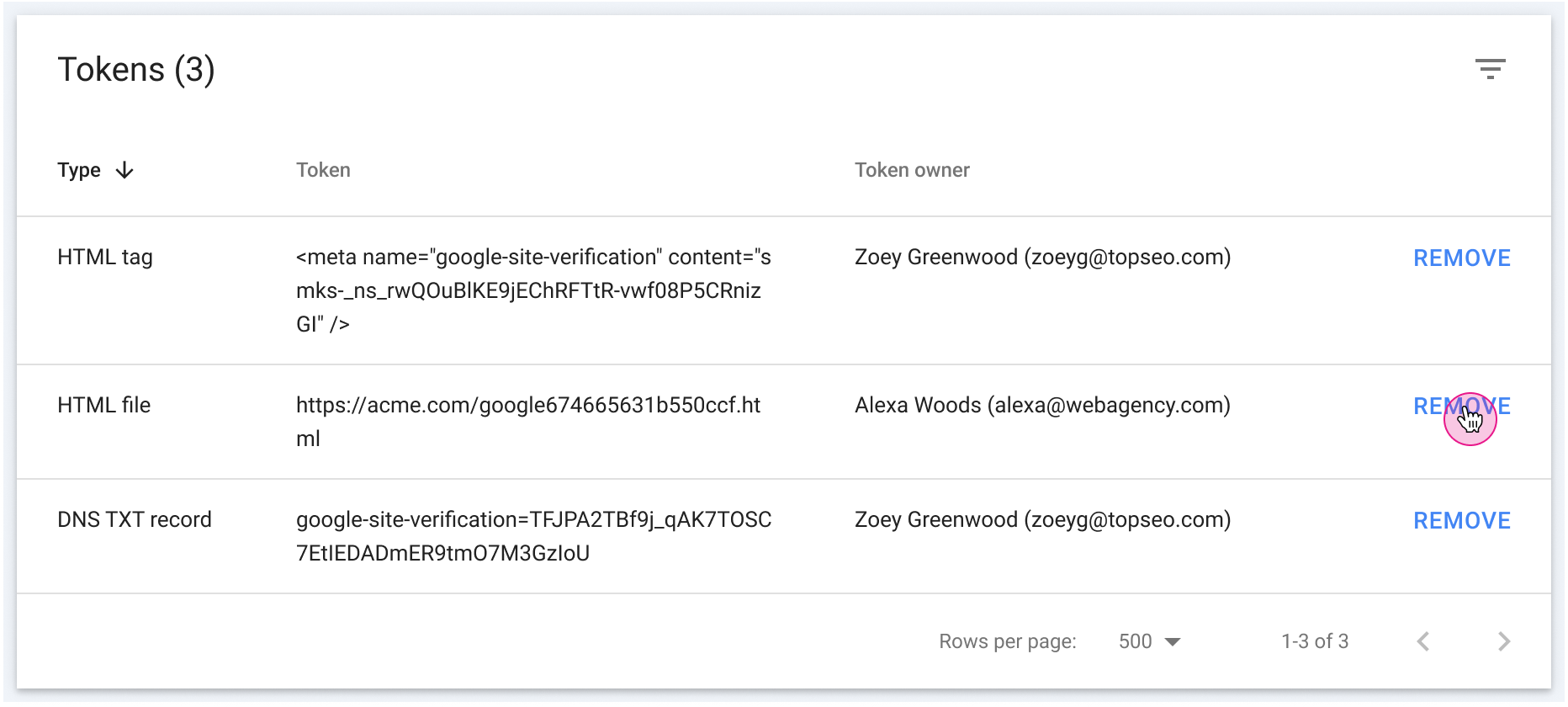
To get started, sign in to Google Search Console with a Google Account and add a property for your website. You can choose between two main property types:
- Domain property: Covers all subdomains and protocols for a domain, such as both
www.example.co.ukandshop.example.co.uk, over HTTP and HTTPS. Verification is generally carried out through a DNS record. - URL-prefix property: Covers URLs that begin with the exact prefix entered, including the protocol. It offers several verification options, such as an HTML file, a meta tag or Google Analytics, depending on the site and account.
Follow the verification instructions shown in Search Console. Verification confirms that you have permission to view data for the property; it does not mean that Google has indexed every page on the site. If several people need access, an owner can add other users with suitable permission levels.
Understanding the Performance report
The Performance report shows how your site has appeared in Google Search over a selected period. You can explore the data by queries, pages, countries, devices and search appearance, where applicable.
Pay attention to the difference between the main metrics:
- Clicks are visits from a Google Search result to your site.
- Impressions are instances where a link to your site was shown in search results.
- Click-through rate (CTR) is the proportion of impressions that resulted in a click.
- Average position is an aggregated position metric, not a guaranteed fixed ranking for every person or search.
These figures can help you spot useful trends. For example, a page might receive many impressions but relatively few clicks. You could review whether its title and description accurately explain the page and appeal to the people searching. Search Console data is aggregated and can be delayed, so it is best used to identify patterns rather than judge performance from a single day.
Checking indexing and fixing issues
The indexing reports can help you understand whether Google has included your pages in its index. If a page is not indexed, use the information provided to investigate the reason. It may be blocked by a noindex directive, inaccessible to Google, a duplicate of another URL, or simply not yet discovered or processed.
The URL Inspection tool lets you check an individual URL. It can show whether Google has a recorded version of the page and provide details about its crawl and indexing status. After making a significant change, you may be able to request indexing. This is a request, not a guarantee: Google decides when and whether to crawl or index a page.
A sitemap can make it easier for Google to discover URLs, particularly on a large or frequently updated website. However, submitting a sitemap does not guarantee that every listed URL will be indexed. Make sure your sitemap contains the canonical URLs you want search engines to consider and does not include pages you have deliberately excluded.
Using Search Console to improve your SEO
Search Console works best as part of a wider SEO process. A practical routine might include:
- Check the Performance report regularly for changes in clicks, impressions and search queries.
- Look for relevant pages with strong impressions but a low CTR, then review their search result titles and descriptions.
- Investigate indexing issues that affect important pages, rather than trying to index every URL on the site.
- Review Core Web Vitals and other available experience reports, then assess any suggested improvements alongside real-user data.
- Monitor security and manual action notices and address any issues promptly.
- Compare performance over meaningful periods, taking account of seasonality, site changes and shifts in search demand.
Search Console can also be useful after a website migration, redesign or change of domain. Keep access to the relevant properties, check that redirects and canonical tags are working as intended, and monitor important pages for crawling and indexing changes.
Search Console’s limitations
Search Console is a reporting and diagnostic service, not a tool for controlling Google’s search results. It cannot promise rankings, traffic or indexing, and its reports may not include every query or link. Average positions and other metrics are aggregated, so results can differ by location, device, time and search context.
For a complete picture, use Search Console alongside website analytics, log files, performance testing and careful technical checks. Always investigate the underlying cause of an issue before making changes across a site.
Conclusion
Google Search Console, formerly Google Webmaster Tools, is an essential resource for anyone responsible for a website’s presence in Google Search. It helps you monitor search performance, understand how pages are indexed and identify issues that may need attention. Used consistently and interpreted in context, it can support better-informed SEO decisions and a healthier website.
Top 5 Benefits of Google Search Console for SEO: Free Tools and Insights
- Free to use
- Tracks search performance
- Highlights indexing issues
- Helps submit sitemaps
- Provides useful SEO insights
7 Limitations of Google Search Console for Webmasters
- Data can be delayed.
- Some queries are anonymised.
- Reports can be confusing for beginners.
- Indexing requests are not guaranteed.
- Average rankings can be misleading.
- It focuses mainly on Google Search.
- It offers limited competitor insights.
Free to use
Free to use: Google Search Console is available at no cost, making it a practical choice for website owners, businesses and SEO professionals working with any budget. It provides valuable insights into search performance, indexing and technical issues without requiring a paid subscription.
Tracks search performance
Google Search Console tracks how your website performs in Google Search, showing useful data such as clicks, impressions, click-through rate and average position. You can explore this information by search query, page, country and device to see which content attracts visitors and where there may be opportunities to improve your search visibility.
Highlights indexing issues
Highlights indexing issues: Google Search Console helps you identify pages that Google has been unable to index, making it easier to investigate problems such as crawl errors, blocked pages or incorrect settings. Its indexing reports and URL Inspection tool show useful details about a page’s status, so you can address issues affecting important content. Fixing them does not guarantee indexing, but it can help Google access and understand your pages.
Helps submit sitemaps
Google Search Console makes it easy to submit your sitemap to Google, helping the search engine discover important pages on your website. This is especially useful for new, large or frequently updated sites, where some pages may be harder to find through links alone. Submitting a sitemap does not guarantee that every URL will be crawled or indexed, but it gives Google a helpful guide to your site’s content.
Provides useful SEO insights
Google Search Console provides useful SEO insights by showing how your website performs in Google Search. You can review the queries people use to find your pages, along with clicks, impressions, click-through rates and average positions. These insights can help you spot pages with potential, understand changes in search visibility and decide where to improve your content or page titles.
Data can be delayed.
One drawback of Google Search Console is that its data can be delayed. Performance and indexing reports may take time to update, so recent changes to your website or search traffic might not appear straight away. This can make it difficult to assess the immediate impact of an update or diagnose a sudden change, so it is best to use Search Console for longer-term trends rather than real-time monitoring.
Some queries are anonymised.
One limitation of Google Search Console, formerly known as Google Webmaster Tools, is that some search queries are anonymised and therefore not shown in reports. This is done to protect users’ privacy, but it means the query data may not include every search that brought visitors to your site. As a result, reported clicks and impressions may not match the total figures, and you may have an incomplete picture of the terms people use to find your pages.
Reports can be confusing for beginners.
One drawback of Google Search Console, formerly known as Google Webmaster Tools, is that its reports can be confusing for beginners. Terms such as “impressions”, “average position” and “indexed” may take time to understand, while indexing and performance reports can present a lot of technical information at once. New users may find it difficult to know which issues need attention first, so it can help to explore one report at a time and consult Google’s guidance when interpreting the data.
Indexing requests are not guaranteed.
One limitation of Google Search Console is that submitting an indexing request does not guarantee that Google will crawl or index the page. The request simply asks Google to consider visiting the URL; indexing decisions depend on factors such as the page’s quality, accessibility and relevance. It may also take time for Google to process the request, so avoid submitting the same URL repeatedly and check for technical issues if an important page remains unindexed.
Average rankings can be misleading.
Average rankings in Google Search Console can be misleading because they combine results from different searches, locations, devices and users into a single figure. A reported average position may not reflect where your page appears for a particular person or query, and small changes in the metric do not always indicate a meaningful improvement or decline. Use average position as a general trend, and review it alongside individual queries, clicks, impressions and other SEO data.
It focuses mainly on Google Search.
One limitation of Google Search Console is that it focuses mainly on performance in Google Search. This makes it valuable for understanding how Google finds and displays your website, but it offers little insight into traffic from other search engines, social media, referrals or advertising. If you want a complete picture of your website’s performance across different channels, you’ll need to use additional analytics and webmaster tools.
It offers limited competitor insights.
One limitation of Google Search Console, formerly known as Google Webmaster Tools, is that it offers limited insight into competitors. Its reports focus on your own website’s performance in Google Search, so they do not provide detailed information about rival sites’ keywords, rankings or backlinks. To build a fuller picture of the competitive landscape, you may need to use dedicated SEO research tools alongside Search Console.