
SEO Friendly URL Test: How to Check and Improve Your URLs
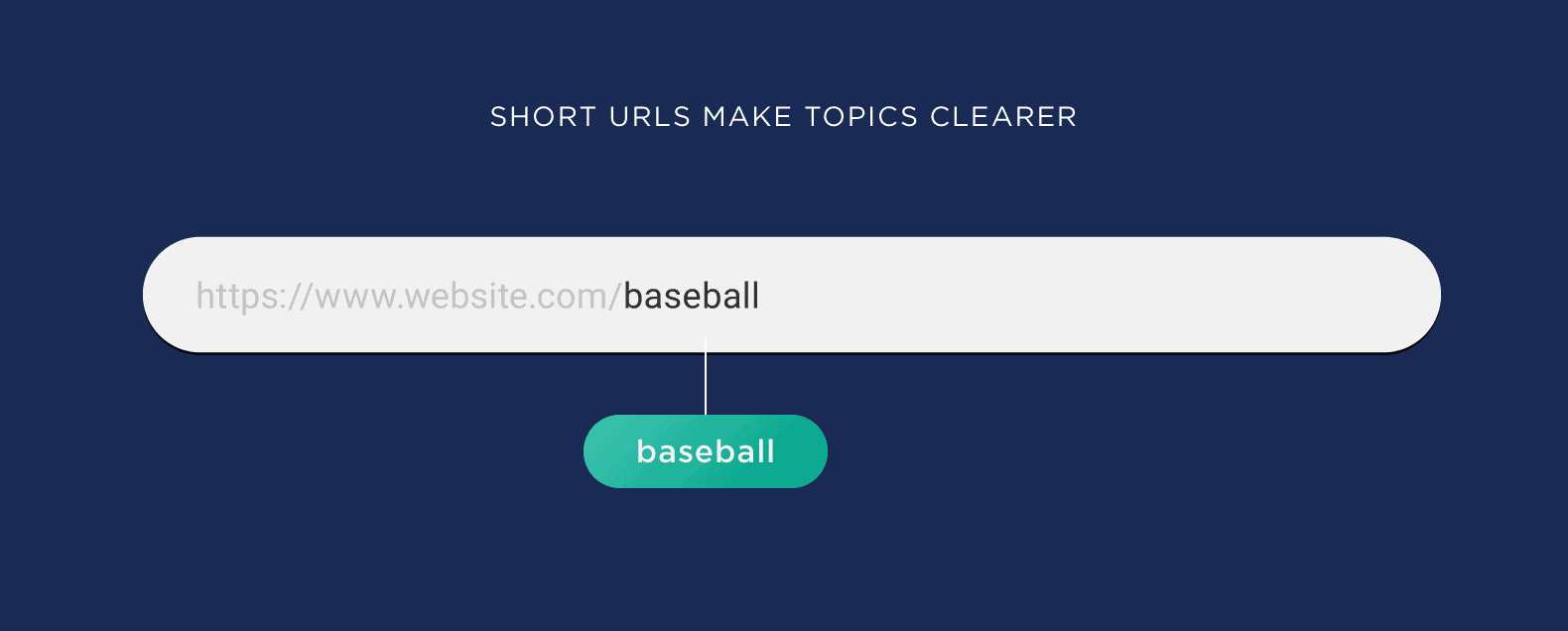
SEO-Friendly URL Test: How to Check and Improve Your Web Addresses
A clear, descriptive URL helps visitors understand what a page is about before they open it. It can also make a website easier to navigate and maintain. An SEO-friendly URL test can help you spot addresses that are confusing, unnecessarily long or difficult for people and search engines to interpret.
Use the checks below to review your URLs and identify practical improvements. A well-structured URL is not a substitute for useful content or sound technical SEO, but it is an important part of a tidy website.
What is an SEO-friendly URL?
An SEO-friendly URL is a web address that is easy to read, understand and share. It gives a useful indication of the page’s subject and follows a consistent structure across the site.
For example, this address is relatively clear:
https://example.co.uk/guides/seo-friendly-urls
By contrast, an address such as https://example.co.uk/page?id=8472&cat=6 offers little context to a visitor. Parameter-based URLs are sometimes necessary, particularly for filtered pages or dynamic websites, but they should be managed carefully.
How to run an SEO-friendly URL test
Review each URL against the following checklist. You can do this manually for a small website or use a site crawler to collect and inspect URLs in bulk.
Is the URL easy to understand?
Read the address without opening the page. Can you make a reasonable guess about its contents? Use words that describe the page rather than vague labels, internal codes or a string of numbers.
Is it concise but descriptive?
Keep URLs as short as practical while retaining enough detail to identify the page. Remove unnecessary words and repeated information, but do not shorten an address so much that its meaning becomes unclear.
Does it use hyphens between words?
Hyphens make multi-word slugs easier to read. For instance, /seo-friendly-url-test is clearer than /seofriendlyurltest. Avoid using underscores or joining several words into one long string.
Are the words relevant to the page?
Include a natural description of the page’s subject where appropriate. Avoid repeating keywords or adding terms that do not accurately represent the content. URLs should help people understand the page, not read like a list of search phrases.
Is the format consistent?
Choose a consistent approach to lowercase letters, trailing slashes and category paths. Although servers can treat different URL versions in different ways, inconsistent formats may create duplicate versions of the same page or make the site harder to manage.
Does the page load securely and correctly?
Check that the URL uses HTTPS and leads to the intended page. Look for broken links, redirect chains and unnecessary redirects. A suitable redirect should take visitors and search engines to the correct current version.
Are there unnecessary parameters?
Tracking parameters and filters can make URLs long or create multiple versions of similar pages. Keep parameters where they are needed for functionality or measurement, and review how your website handles pages that can be accessed through several URL variations.
Good and poor URL examples
| Less clear | Clearer alternative |
|---|---|
/index.php?page=23 |
/services/technical-seo |
/blog/2026/11/06/post-9482 |
/blog/how-to-check-a-url |
/products/item_blue_123 |
/products/blue-wool-jumper |
/guides/seo/seo-tips/seo-url-seo-guide |
/guides/seo-friendly-urls |
The best structure depends on the website. A date may be useful for news or time-sensitive content, while it may add little value to an evergreen guide. Choose a format that is clear and suitable for the page type.
What makes a URL less SEO-friendly?
- Long strings of random numbers or characters
- Unnecessary folders and repeated words
- Keyword stuffing or misleading descriptions
- Inconsistent use of uppercase and lowercase letters
- Multiple URLs serving the same or very similar content without clear canonical handling
- Broken links, redirect loops or chains of redirects
- Excessive tracking or filter parameters that create avoidable URL variations
Should you change an existing URL?
Not automatically. If an existing URL is working well, is linked to by other websites or already receives search traffic, changing it may create more problems than it solves. A URL change can break links and affect how a page is discovered if redirects and internal links are not updated properly.
If a change is justified, redirect the old URL to the closest relevant new page using a permanent redirect, update internal links and the XML sitemap, and check that the new page returns the correct status code. Avoid redirecting unrelated old pages to the homepage.
How often should you test your URLs?
Run a URL review when launching a new website, publishing a large batch of pages or changing your site structure. It is also useful to include URL checks in regular technical SEO audits. A crawler can help identify patterns across a large site, such as duplicate URLs, excessive length, broken pages and redirect issues.
Final checklist
- The URL clearly describes the page.
- It is concise, readable and written in lowercase.
- Words are separated with hyphens.
- It avoids irrelevant keywords and unnecessary parameters.
- It loads over HTTPS and returns the correct page.
- Any old URL has a relevant redirect if the address has changed.
- The URL structure is consistent with the rest of the website.
An SEO-friendly URL test is a straightforward way to improve clarity and catch technical issues. Focus on useful, stable addresses that make sense to visitors, and treat URL changes with care. Clear URLs support a better site structure, while valuable content and a good user experience remain central to effective SEO.
6 Essential Tips for Testing SEO-Friendly URLs
- Keep URLs short, clear and descriptive.
- Use lowercase letters and hyphens between words.
- Include relevant keywords naturally.
- Avoid unnecessary numbers, symbols and parameters.
- Check that each URL returns the correct page.
- Test for broken links and duplicate URLs.
Keep URLs short, clear and descriptive.
Keep URLs short, clear and descriptive so visitors can quickly understand what a page is about. Use a few relevant words, separate them with hyphens and remove unnecessary numbers, folders or parameters. A concise address is easier to read, share and manage, while accurately describing the page helps create a clearer website structure.
Use lowercase letters and hyphens between words.
Use lowercase letters and hyphens to make URLs easier to read and keep them consistent. For example, use /seo-friendly-url-test rather than /SEO_Friendly_URL_Test. Lowercase URLs help avoid confusion between versions that may be treated as different addresses, while hyphens clearly separate words for visitors and search engines.
Include relevant keywords naturally.
Include relevant keywords naturally in your URL so visitors can quickly understand what the page is about. Choose a concise, accurate phrase that reflects the page’s main topic, such as /seo-friendly-url-test, rather than adding a string of repeated or unrelated search terms. A clear URL can improve readability and make links easier to recognise and share, but it should always describe the content honestly.
Avoid unnecessary numbers, symbols and parameters.
Avoid unnecessary numbers, symbols and parameters when creating URLs. They can make an address look cluttered and harder for visitors to understand or remember. Use clear, relevant words instead, and keep tracking codes or filters only when they serve a specific purpose. A simple URL such as /guides/seo-friendly-urls is easier to read than one filled with random numbers or extra parameters.
Check that each URL returns the correct page.
Check that each URL returns the correct page by opening it and confirming that the content matches the address. Look out for broken links, unexpected redirects, error pages or URLs that lead to duplicate or unrelated content. If a page has moved, use a relevant redirect to send visitors to its new location and update any internal links pointing to the old address.
Test for broken links and duplicate URLs.
As part of your SEO-friendly URL test, check for broken links and duplicate URLs. Broken links can frustrate visitors and make it harder for search engines to find important pages, so identify them and update the link or redirect it to a relevant destination. Also look for different URLs that lead to the same or very similar content, such as versions with tracking parameters or inconsistent trailing slashes. Where appropriate, use redirects and canonical tags to make the preferred page clear and help keep your site structure tidy.