
Keyword Rank Tracking: A Practical Guide to Measuring SEO Performance
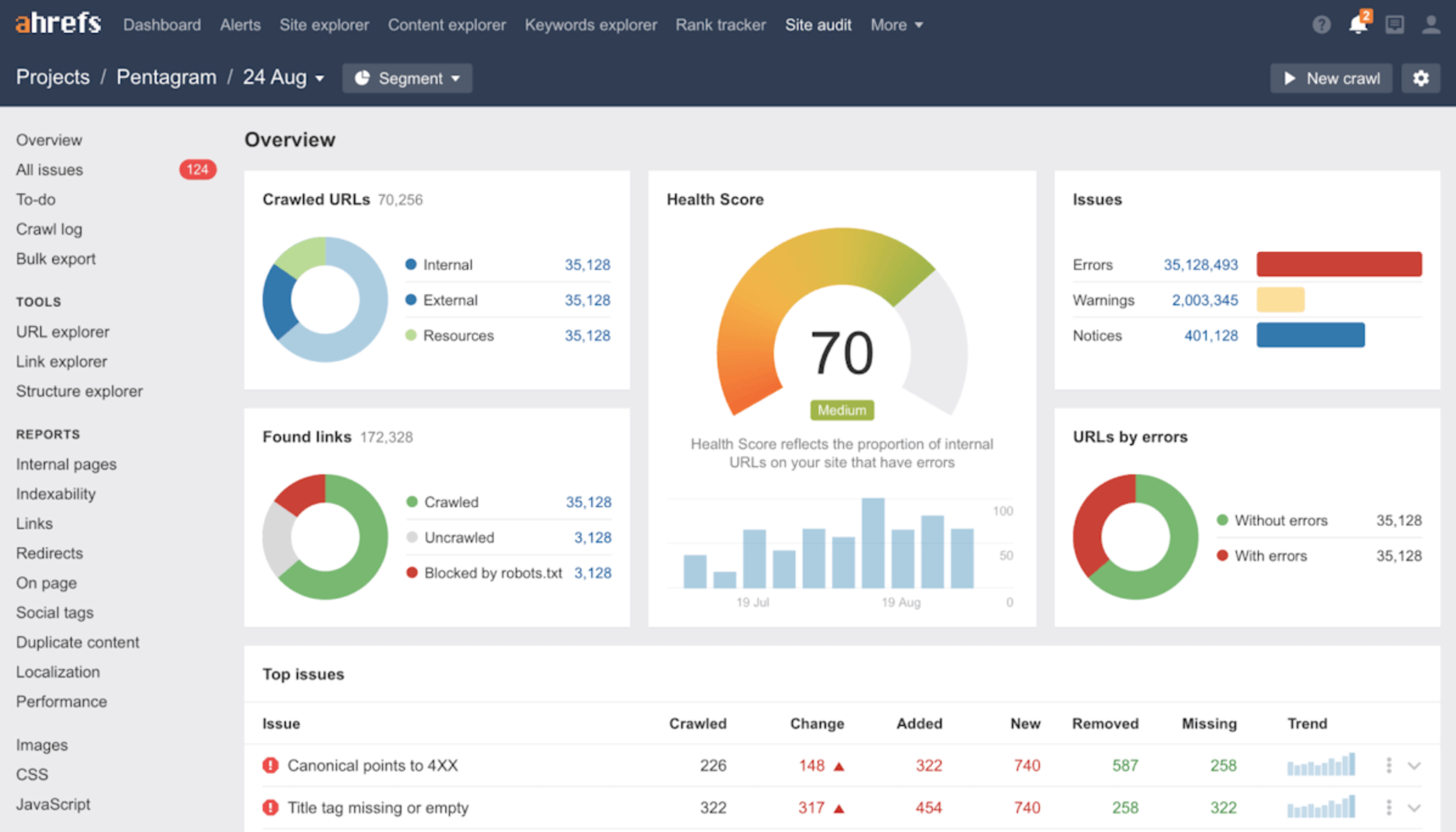
Keyword Rank Tracking: A Practical Guide
Keyword rank tracking is the process of monitoring where a website appears in search engine results for selected search queries. It helps website owners, marketers and SEO professionals understand how their visibility changes over time and whether their search engine optimisation (SEO) work is making a difference.
Rankings are only one part of SEO, and they can fluctuate for many reasons. Used alongside traffic, conversions and other performance data, however, keyword tracking can provide useful insight into what is working and where to focus next.
What is a keyword ranking?
A keyword ranking is a page’s position in search results for a particular query. For example, if a page appears as the third traditional organic result for “accounting software for small businesses”, it is generally described as ranking in position three for that search.
Search results can also include features such as maps, featured snippets, shopping listings, videos and “People also ask” boxes. These can affect what users see and which results attract attention, so a single position number may not tell the whole story.
Why track keyword rankings?
- Measure visibility: See whether important pages are appearing more or less prominently for relevant searches.
- Evaluate SEO changes: Observe how rankings respond after updating content, improving internal links or fixing technical issues.
- Find opportunities: Identify relevant queries where a page is close to stronger visibility and may benefit from further improvements.
- Spot potential problems: Notice significant or sustained ranking drops that may warrant investigation.
- Understand the market: Compare your search visibility with that of competitors, while remembering that competitors’ data is often estimated.
How to set up keyword rank tracking
-
Choose relevant keywords.
Start with the searches your intended audience is likely to use. Include a mix of branded terms, service or product searches, and informative queries. Focus on relevance and business value rather than collecting a large list of loosely related keywords.
-
Group keywords by topic and intent.
Organise terms into sensible groups, such as product categories, services or questions. Consider the searcher’s intent: are they looking for information, comparing options, or ready to take action? This makes ranking reports easier to interpret and helps match each topic to an appropriate page.
-
Set the location and device.
Search results can vary by country, region, city and device. A local business may need to track searches in specific areas, while a national website may focus on country-level visibility. Choose settings that reflect your audience and keep them consistent when comparing results.
-
Record the landing page.
Note which page you expect to rank for each keyword. If several pages appear to target the same query, review whether their purpose is distinct or whether their content overlaps.
-
Choose a sensible tracking frequency.
Daily checks can be useful for some campaigns, but they may also highlight normal short-term fluctuations. Weekly or monthly reviews are often more useful for assessing broader trends. The right frequency depends on the website, the level of activity and how quickly decisions need to be made.
What should you measure?
Rankings are useful, but they should be considered alongside other measures:
- Position over time: Look for sustained movement rather than reacting to every small change.
- Search impressions: Search Console impressions can show how often pages appeared in search results, even when users did not click.
- Clicks and organic traffic: These show whether visibility is translating into visits.
- Click-through rate: The proportion of impressions that lead to clicks can help indicate whether a result is attracting searchers.
- Conversions: Enquiries, purchases, sign-ups or other meaningful actions help connect SEO performance with business outcomes.
- Search result features: Note whether relevant features, such as local listings or featured snippets, appear for the queries you track.
Google Search Console is a useful source of performance data, including clicks, impressions, click-through rate and average position. Its average position is not necessarily the same as a rank tracker’s position for a specific location and moment. The figures are calculated differently, so they are best used for understanding trends rather than treated as directly interchangeable.
How to interpret ranking changes
A ranking rise does not automatically mean that traffic or revenue will increase. The keyword may have low search demand, the result may receive few clicks, or the page may not meet the searcher’s needs. Likewise, a small position drop may have little practical impact.
When a change looks significant, check it in context:
- Has the change continued over several checks?
- Has traffic, click-through rate or conversion performance changed as well?
- Did you recently update the page or make technical changes?
- Have competitors published new content or improved their pages?
- Could seasonality, location, device or changes to the search results explain the movement?
Use the answers to decide whether further investigation is needed. Avoid making major changes to a page based on a single ranking observation.
Common keyword tracking mistakes
- Tracking too many keywords: A long list can become difficult to manage. Begin with a focused set that reflects your priorities.
- Ignoring search intent: A page may struggle because it does not answer the question users are asking, even if the keyword appears in the copy.
- Comparing inconsistent data: Rankings can vary by location, device and measurement method. Keep tracking settings consistent.
- Focusing only on position: Rankings do not show the full picture. Include traffic and business outcomes in your reporting.
- Overreacting to fluctuations: Search results change. Look for meaningful patterns before taking action.
- Assuming one page must rank for every variation: Closely related searches may have different intents and may need different pages.
A simple keyword tracking routine
A practical routine can be straightforward:
- Review the priority keyword groups and their intended landing pages.
- Check ranking trends using consistent location and device settings.
- Compare those trends with Search Console clicks, impressions and click-through rates.
- Review organic visits and conversions in your analytics platform.
- Investigate sustained declines or promising opportunities.
- Make focused improvements, document them and monitor the results over time.
Conclusion
Keyword rank tracking helps you understand how your pages appear for searches that matter to your audience. Its greatest value comes from using it consistently and combining rankings with search impressions, clicks, traffic and conversions. Treat ranking data as a guide—not a goal in isolation—and it can help you make more informed decisions about your SEO strategy.
Frequently asked questions
How often should I check keyword rankings?
There is no single ideal schedule. Weekly or monthly reviews are often suitable for tracking broader trends, while more frequent checks may be useful for active campaigns. Whatever the schedule, compare like with like and avoid reacting to isolated changes.
Why do rankings differ between tools?
Tools may check results at different times and use different locations, devices, settings or data sources. Search results can also vary between users. For meaningful comparisons, use the same tracker and settings over time.
Should I track every keyword my website ranks for?
Usually not. Prioritise relevant searches that represent your audience, your services or products, and your goals. Search Console can help you discover additional queries to consider adding to your tracked list.
Does a higher ranking always mean more website traffic?
No. Traffic also depends on search demand, the wording and appearance of the result, competition from search features and whether the page matches the searcher’s needs. Review clicks and engagement alongside position.
Essential Guide to Keyword Rank Tracking: Answering Your Top 6 Questions
- How do you use rank Tracker in keyword research?
- How do I find keyword rankings?
- What is the fastest way to rank a keyword?
- What is rank Tracking in SEO?
- How to track keyword rankings?
- How do I monitor keyword rankings?
How do you use rank Tracker in keyword research?
A rank tracker can support keyword research by showing which search terms your website already appears for, how those rankings change over time, and which pages are attracting visibility. Use this data to identify relevant queries where your pages are close to stronger positions, uncover unexpected search terms, and spot gaps between your existing content and your audience’s needs. Then check each opportunity for search intent, relevance and potential value before adding it to your keyword plan. Rank tracking is most useful when combined with tools such as Google Search Console and reviewed alongside clicks, impressions and conversions—not used as a measure of success on its own.
How do I find keyword rankings?
To find your keyword rankings, use a rank-tracking tool to monitor where your website appears in search results for specific queries. Choose relevant keywords, then set the target location and device to match your audience, as rankings can vary by region and between mobile and desktop. Google Search Console is also useful for seeing the queries that bring impressions and clicks to your site, although its average position may differ from a dedicated rank tracker. Review rankings regularly alongside clicks, traffic and conversions to understand whether changes are meaningful.
What is the fastest way to rank a keyword?
The fastest way to improve a keyword’s ranking is to match the searcher’s intent with a helpful, well-structured page, then make sure search engines can crawl and index it. Improve the content using relevant information and clear headings, add useful internal links, and address any technical issues that could affect visibility. There is no guaranteed shortcut: ranking speed depends on competition, your website’s authority and the quality of the page. Track progress over time, and avoid tactics that promise instant results or rely on manipulative links.
What is rank Tracking in SEO?
Rank tracking in SEO is the process of monitoring where a website’s pages appear in search engine results for selected keywords over time. It helps you understand changes in search visibility and assess how your SEO work may be affecting performance. For a clearer picture, compare rankings alongside impressions, clicks, organic traffic and conversions, as position alone does not show the full impact.
How to track keyword rankings?
To track keyword rankings, choose the search terms that are most relevant to your audience and record the page you want to rank for each one. Use a keyword rank-tracking tool to monitor positions regularly, setting the correct location and device for your target audience. Review trends over time rather than reacting to daily fluctuations, and compare ranking data with clicks, impressions and conversions in tools such as Google Search Console and your analytics platform.
How do I monitor keyword rankings?
To monitor keyword rankings, choose the relevant search terms you want to track and use a rank-tracking tool to check your positions regularly. Set the target location and device to match your audience, and keep these settings consistent so you can compare results over time. Review ranking trends alongside data from Google Search Console, such as impressions and clicks, and your website analytics. This gives you a fuller picture of whether changes in visibility are bringing more visitors and meaningful results.