
On Page Optimization in Digital Marketing: A Practical Guide
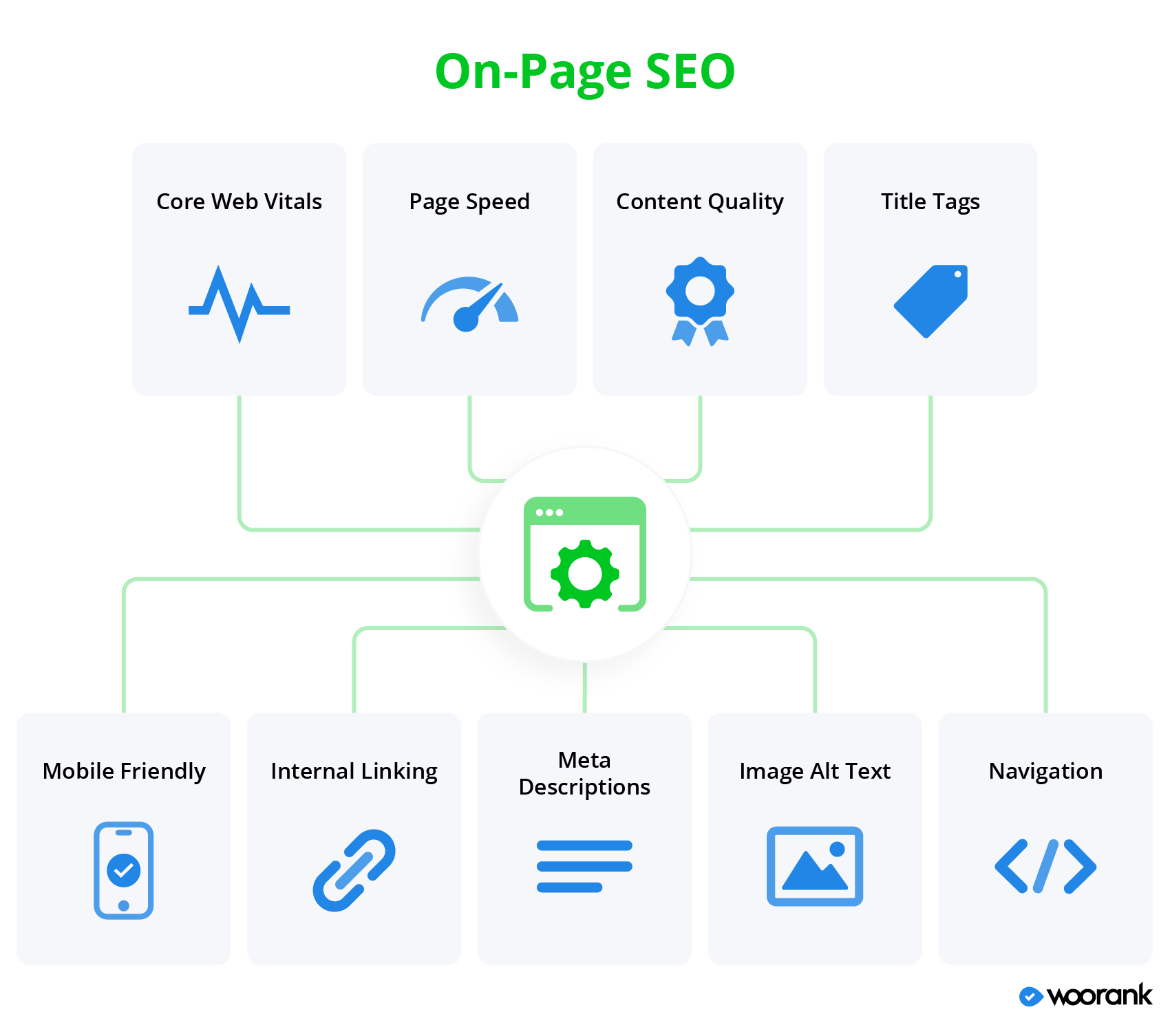
On-Page Optimisation in Digital Marketing: A Practical Guide
On-page optimisation is the process of improving the content and structure of individual web pages so they are more useful to visitors and easier for search engines to understand. It is an important part of digital marketing because well-optimised pages can help attract relevant organic traffic, answer users’ questions and encourage them to take action.
Good on-page SEO is not about filling a page with keywords. It involves creating helpful, clear content and presenting it in a way that works for both people and search engines.
Why on-page optimisation matters
Search engines analyse many aspects of a page to work out what it is about and whether it may be useful for a particular search. Clear headings, descriptive page titles, relevant copy and logical links all help provide context.
For visitors, a well-optimised page is easier to scan, understand and navigate. This can improve the experience of using a website and make it more likely that people will find the information or service they need.
Key elements of on-page optimisation
Understand search intent
Before writing or updating a page, consider what the searcher wants to achieve. Someone looking for general information may need an educational guide, while someone searching for a specific product may be ready to compare options or make a purchase.
Review the questions your audience asks and make sure the page addresses them directly. Matching the content to the purpose behind a search is more valuable than targeting a keyword without considering its meaning.
Create useful, well-structured content
Content should provide accurate, relevant information and be written for the intended audience. Organise it into sections with descriptive headings so readers can find important details quickly. Use plain language where possible, and explain specialist terms when they are necessary.
There is no ideal word count for every page. The right length depends on the topic and what readers need. Avoid adding filler simply to make an article longer; every section should serve a purpose.
Use keywords naturally
Keyword research can reveal the language people use when looking for products, services or information. Include relevant terms naturally in prominent parts of the page, such as the main heading, introduction and subheadings where appropriate.
Do not repeat the same phrase unnaturally or try to include every variation. Search engines can interpret related language, and excessive repetition can make content unpleasant to read.
Write clear title tags and meta descriptions
The title tag helps describe a page in search results and browser tabs. It should be specific, concise and relevant to the page. Where suitable, include the main topic and the business or website name.
A meta description summarises the page and may appear beneath its title in search results. Although it is not a direct ranking factor, a useful description can help people decide whether the page is relevant to them. Make it accurate and avoid promising information that the page does not provide.
Organise headings logically
Headings create a clear structure for readers and assistive technologies. Use one main <h1> heading to identify the page’s subject, then arrange subheadings in a logical order. A heading should describe the section that follows it, rather than being used only to change the text’s appearance.
Optimise images
Images can make a page more engaging, but large image files may slow it down. Use appropriately sized images and efficient file formats. Give each image a descriptive file name, and write alternative text when the image conveys information or serves a purpose. Decorative images can usually have empty alternative text so screen readers can skip them.
Use helpful internal links
Internal links connect related pages on the same website. They can help visitors discover useful information and help search engines understand how pages relate to one another. Use descriptive link text that gives people a reasonable idea of what they will find after clicking.
Make pages easy to use on mobile
Pages should work well on different screen sizes. Check that text is readable, buttons and links are easy to use, and important content is not hidden or difficult to reach on a phone. A mobile-friendly experience is essential for serving users who browse on mobile devices.
Pay attention to page speed and technical details
Slow or unstable pages can frustrate visitors. Review image sizes, unnecessary scripts and other factors that may affect loading performance. Also check that the page loads correctly, uses a secure connection and can be accessed by search engines where appropriate.
How to review on-page SEO
A regular review can help keep pages accurate and useful. Start by checking whether the page still meets its intended purpose. Then review its traffic and performance data, search queries, internal links, page speed and any relevant user feedback.
- Identify the page’s audience and goal.
- Check that the content answers the audience’s main questions.
- Review the title tag, meta description and heading structure.
- Check links, images and mobile usability.
- Use analytics and search performance data to identify opportunities for improvement.
- Update information when it becomes outdated or incomplete.
Common mistakes to avoid
- Repeating keywords excessively.
- Writing content for search engines rather than people.
- Using vague headings and generic page titles.
- Publishing similar pages that compete for the same purpose.
- Adding links that do not help the reader.
- Leaving outdated information on important pages.
- Ignoring accessibility and mobile usability.
Conclusion
On-page optimisation brings together useful content, clear structure and a positive user experience. By understanding search intent, writing for real people and reviewing important page elements regularly, businesses can make their websites easier to use and easier for search engines to interpret. It is an ongoing part of digital marketing, not a one-off task, and the strongest results come from making improvements that genuinely help the audience.
Enhancing Digital Success: Six Benefits of On-Page Optimisation
- Improves search engine visibility.
- Attracts more relevant organic traffic.
- Makes content easier to understand.
- Enhances the user experience.
- Helps visitors find key information.
- Supports stronger conversion rates.
Challenges of On-Page Optimisation in Digital Marketing: Understanding the Key Drawbacks
- Can be time-consuming to implement.
- Requires regular updates.
- Results may take time to appear.
- Keyword overuse can harm readability.
- Strong rankings are never guaranteed.
- Technical changes may need specialist skills.
- Competitors can quickly copy improvements.
Improves search engine visibility.
On-page optimisation improves search engine visibility by helping search engines understand what a page is about and how well it meets a searcher’s needs. Clear headings, relevant keywords, descriptive title tags and useful content can make pages more eligible to appear for relevant searches. This can help the right audience discover your website through organic search.
Attracts more relevant organic traffic.
On-page optimisation helps attract more relevant organic traffic by aligning a page’s content with what people are searching for. Using clear headings, natural keywords and useful information makes it easier for search engines to understand the page and show it to people whose needs match its topic. This can bring visitors who are more likely to engage with the content, explore the website or become customers.
Makes content easier to understand.
On-page optimisation makes content easier to understand by organising information into clear sections, using descriptive headings and writing in straightforward language. Relevant keywords help signal the topic, while concise paragraphs, helpful links and well-labelled images guide readers through the page. This clear structure benefits visitors and helps search engines interpret the content.
Enhances the user experience.
On-page optimisation enhances the user experience by making web pages clearer, faster and easier to navigate. Well-structured content, descriptive headings and helpful internal links allow visitors to find the information they need with less effort, while mobile-friendly layouts and optimised images make pages more comfortable to use across devices. When people can quickly understand and interact with a page, they are more likely to stay, explore and take the next step.
Helps visitors find key information.
On-page optimisation helps visitors find key information quickly by organising content with clear headings, concise paragraphs and easy-to-follow navigation. When pages are structured around the questions people want answered, visitors can scan the content, locate relevant details and take the next step with less effort. This creates a more useful experience and can encourage people to stay engaged with the website.
Supports stronger conversion rates.
On-page optimisation can support stronger conversion rates by making it easier for visitors to find relevant information and take the next step. Clear, persuasive content, intuitive navigation, fast-loading pages and prominent calls to action help reduce friction and build confidence. When a page matches visitors’ needs and guides them towards an action—such as making a purchase, submitting an enquiry or signing up—it is more likely to turn visits into valuable results.
Can be time-consuming to implement.
On-page optimisation can be time-consuming to implement, particularly across a large website. Researching keywords, improving content, updating titles and headings, compressing images and checking technical details all take time. Pages may also need regular reviews as search trends, business priorities and user needs change. Without careful planning, these tasks can divert resources from other digital marketing activities.
Requires regular updates.
One drawback of on-page optimisation is that it requires regular updates. Search trends, audience needs and search engine guidelines can change, so content, keywords, links and technical details may need reviewing to remain relevant and effective. This ongoing work takes time and resources, particularly for websites with many pages.
Results may take time to appear.
One drawback of on-page optimisation is that results may take time to appear. Search engines need to crawl and reassess updated pages, and improvements in rankings or organic traffic are not usually immediate. The timeframe can vary depending on competition, the website’s authority and the scale of the changes, so businesses need patience and should monitor progress over time rather than expecting instant results.
Keyword overuse can harm readability.
Keyword overuse can make content feel repetitive, awkward and difficult to read. When a phrase is inserted too often, the writing may sound unnatural and distract readers from the information they came for. This can undermine trust and create a poor user experience, potentially encouraging visitors to leave the page. Use relevant keywords naturally, prioritising clear, helpful writing over repetition.
Strong rankings are never guaranteed.
A key drawback of on-page optimisation is that strong search rankings are never guaranteed. Even well-researched keywords, useful content and carefully optimised pages cannot control how search engines assess results or how competitors improve their own websites. Search algorithms change, and rankings can fluctuate over time, so on-page SEO should be treated as an ongoing effort rather than a promise of reaching or keeping a particular position.
Technical changes may need specialist skills.
Some on-page optimisation tasks involve technical changes, such as editing page code, improving site speed or fixing indexing issues. These may require specialist skills, so businesses without in-house expertise could need to invest in a developer or SEO professional. Attempting complex changes without the right knowledge can also lead to errors that affect the website’s functionality or visibility.
Competitors can quickly copy improvements.
One disadvantage of on-page optimisation is that competitors can quickly replicate visible improvements, such as clearer headings, stronger page titles or better keyword use. This can reduce the time a business stays ahead in search results and make it harder to stand out. To maintain an advantage, businesses need to keep improving their content, user experience and overall digital marketing strategy rather than relying on a single round of changes.