
Maximise Your Website’s Potential with Google Analytics for WordPress by MonsterInsights
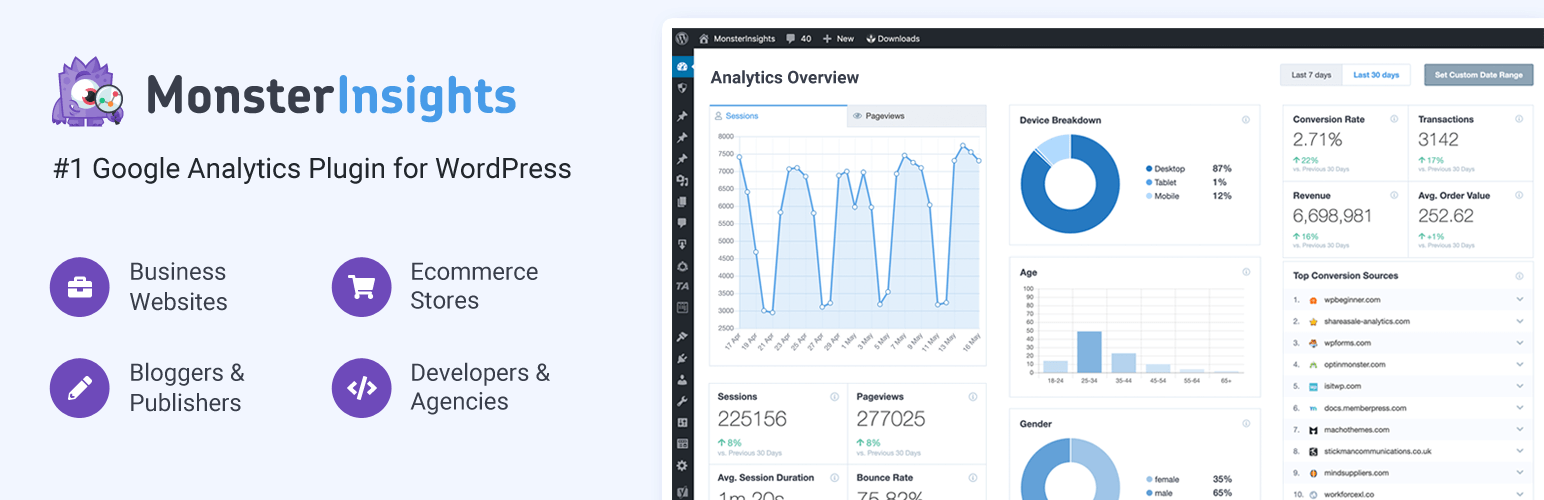
Google Analytics is a powerful tool that provides valuable insights into website performance, user behavior, and traffic sources. For WordPress users looking to harness the full potential of Google Analytics, MonsterInsights offers a seamless integration that simplifies the tracking and analysis process.
MonsterInsights is a popular WordPress plugin that allows users to easily connect their websites to Google Analytics without any coding knowledge. With its user-friendly interface and intuitive features, MonsterInsights makes it simple for website owners to track key metrics and make data-driven decisions to improve their online presence.
One of the standout features of MonsterInsights is its real-time reporting, which provides up-to-the-minute data on website traffic, page views, bounce rate, and more. This real-time data allows users to monitor the performance of their website in the moment and make immediate adjustments if necessary.
Another benefit of using MonsterInsights for Google Analytics integration is its comprehensive tracking capabilities. Users can easily track custom dimensions such as author performance, post type views, file downloads, and more. This level of detailed tracking allows website owners to gain deeper insights into user behavior and tailor their content strategy accordingly.
Furthermore, MonsterInsights offers advanced features such as enhanced e-commerce tracking, affiliate link tracking, form conversion tracking, and Google Optimize integration. These features enable users to track specific actions on their website accurately and optimize their marketing efforts for better results.
In addition to its robust tracking capabilities, MonsterInsights also prioritizes data privacy and security. The plugin ensures compliance with GDPR regulations by anonymizing IP addresses and providing users with options to disable tracking cookies if needed.
Overall, Google Analytics for WordPress by MonsterInsights is a valuable tool for website owners looking to leverage the power of data analytics to improve their online presence. With its easy integration process, real-time reporting features, comprehensive tracking capabilities, and focus on data privacy, MonsterInsights makes it simple for WordPress users to harness the full potential of Google Analytics for informed decision-making and improved performance.
Top 5 Tips for Using Google Analytics on WordPress with MonsterInsights
- Install the MonsterInsights plugin on your WordPress site to easily integrate Google Analytics.
- Customise tracking settings in MonsterInsights to gather relevant data for your website.
- Set up goals in Google Analytics through MonsterInsights to track conversions effectively.
- Use the built-in reports of MonsterInsights to gain insights into your website’s performance at a glance.
- Regularly review and analyse the data provided by Google Analytics via MonsterInsights to make informed decisions for your website.
Install the MonsterInsights plugin on your WordPress site to easily integrate Google Analytics.
By following the tip to install the MonsterInsights plugin on your WordPress site, you can effortlessly integrate Google Analytics and unlock a wealth of valuable insights into your website’s performance. With just a few simple steps, you can connect your website to Google Analytics without any coding knowledge, thanks to MonsterInsights’ user-friendly interface. This seamless integration not only saves time but also allows you to track key metrics and make data-driven decisions to enhance your online presence effectively.
Customise tracking settings in MonsterInsights to gather relevant data for your website.
To make the most of Google Analytics for WordPress by MonsterInsights, it is essential to customise tracking settings to gather relevant data for your website. By tailoring tracking settings to your specific needs, you can ensure that you capture key metrics and insights that are crucial for understanding user behaviour, measuring performance, and making informed decisions. Customising tracking settings in MonsterInsights allows you to focus on the data points that matter most to your website’s goals and objectives, enabling you to optimise your online presence effectively.
Set up goals in Google Analytics through MonsterInsights to track conversions effectively.
Setting up goals in Google Analytics through MonsterInsights is a crucial tip for tracking conversions effectively on your WordPress website. By defining specific goals, such as newsletter sign-ups, product purchases, or form submissions, you can track and measure the success of your conversion efforts accurately. With MonsterInsights’ seamless integration with Google Analytics, setting up goals becomes a straightforward process that provides valuable insights into user behaviour and conversion rates. By monitoring goal completions, website owners can identify areas for improvement, optimize their marketing strategies, and ultimately enhance their website’s performance to achieve their business objectives.
Use the built-in reports of MonsterInsights to gain insights into your website’s performance at a glance.
By utilising the built-in reports of MonsterInsights, WordPress users can quickly gain valuable insights into their website’s performance with just a glance. These reports provide a snapshot of key metrics such as traffic sources, popular pages, user engagement, and more, allowing website owners to assess their site’s performance at a glance. With this convenient feature, users can easily track trends, identify areas for improvement, and make informed decisions to enhance their online presence effectively.
Regularly review and analyse the data provided by Google Analytics via MonsterInsights to make informed decisions for your website.
Regularly reviewing and analysing the data provided by Google Analytics via MonsterInsights is essential for making informed decisions about your website. By monitoring key metrics such as website traffic, user behaviour, and conversion rates, you can gain valuable insights into how your site is performing and identify areas for improvement. With this data-driven approach, you can make strategic adjustments to your content, marketing strategies, and user experience to enhance overall performance and achieve your website goals effectively.