
Semrush SEO Checker: A Practical Guide to Improving Your Website’s Search Visibility
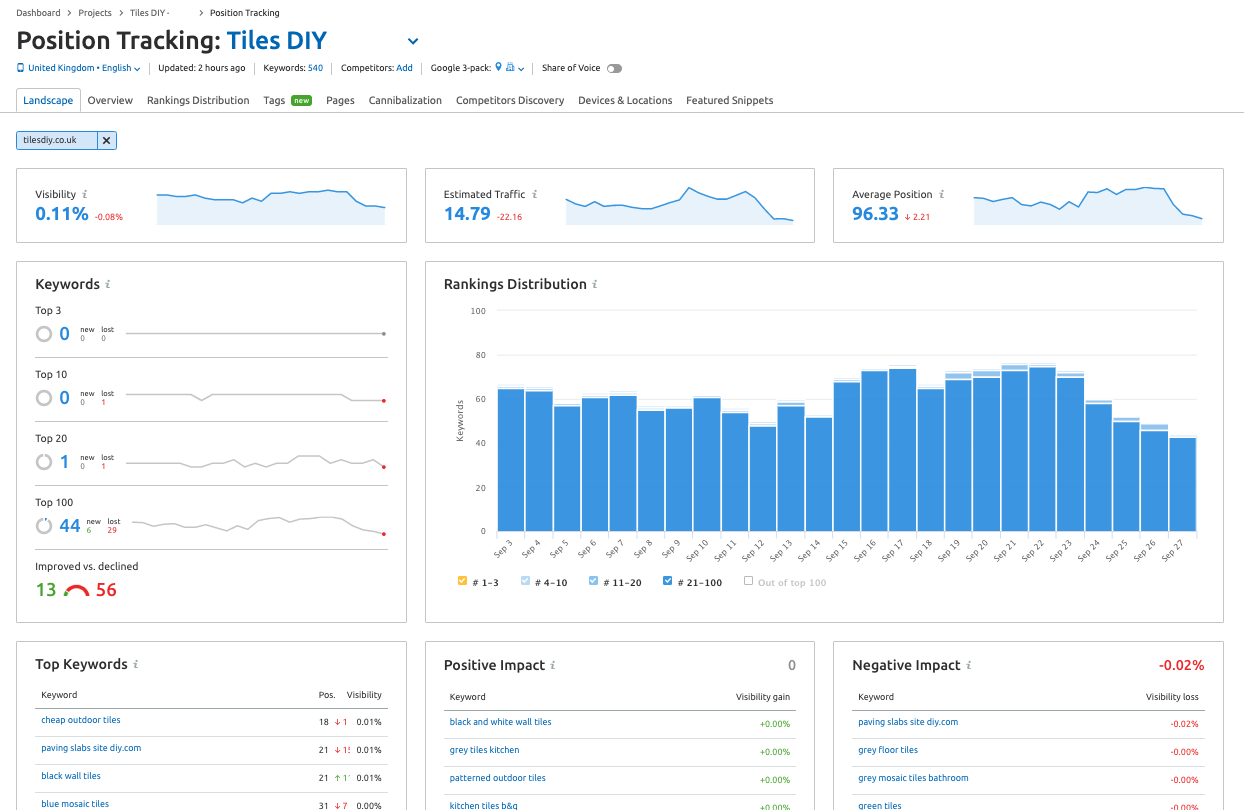
Semrush SEO Checker: A Practical Guide to Improving Your Website
Semrush SEO Checker is a useful starting point for identifying ways to improve a website’s visibility in search results. Rather than relying on guesswork, it can help highlight technical issues, on-page optimisation opportunities and areas where a page may need more attention.
“SEO checker” can refer to several tools within Semrush. These include tools for auditing a website, checking individual pages and reviewing content. The right option depends on whether you want to assess your whole site or focus on a particular page.
What is Semrush SEO Checker?
Semrush is an online marketing platform with tools for search engine optimisation, content, advertising and competitor research. Its SEO tools can help you examine different aspects of a website, including its technical health, keyword targeting and page content.
For a site-wide review, the Site Audit tool crawls pages and reports issues that may affect search engine crawling, indexing, performance or usability. For page-level recommendations, the On Page SEO Checker analyses selected URLs and offers ideas for improving their optimisation. Semrush also provides tools that can support keyword research and content planning.
What can it check?
The checks available depend on the tool and the project settings, but Semrush may help you investigate areas such as:
- Technical SEO: crawlability, broken links, redirect problems, duplicate content and other site health issues.
- On-page elements: title tags, headings, page structure and how a page is aligned with its target keywords.
- Content opportunities: topics, related terms and possible improvements to make a page more useful and relevant.
- Internal linking: opportunities to connect related pages and help visitors and search engines navigate your site.
- Competitor insights: comparisons that can provide context for your own keyword and content strategy.
These reports are recommendations, not guarantees of higher rankings. Search engines consider many signals, and no SEO checker can promise a particular position in search results.
How to use Semrush SEO Checker
- Create a project. Add your website to Semrush and configure the relevant tools. For a site audit, choose settings that suit your website and the pages you want to crawl.
- Run an audit or page analysis. Use Site Audit to find broader technical issues, or On Page SEO Checker to review selected landing pages.
- Review the results. Read each recommendation and check which pages it applies to. Pay particular attention to issues that affect important pages or prevent search engines from accessing content.
- Prioritise changes. Start with significant technical problems and improvements that are relevant to your audience. Avoid making changes simply to satisfy a tool’s score.
- Make and verify updates. After editing your site, rerun the relevant checks to see whether the reported issue has been resolved.
- Monitor performance. Track organic traffic, rankings and conversions over time. SEO results can take time, so assess trends rather than expecting immediate changes.
Benefits of using Semrush
A clearer view of site health
A site audit can bring multiple technical findings together in one report. This makes it easier to spot recurring problems and decide which fixes deserve attention first.
Practical page-level suggestions
On-page recommendations can help you review whether a page is targeting a relevant search term and whether its content provides a useful response to the visitor’s needs.
Support for ongoing SEO work
SEO is not a one-off task. Regular checks can help you find newly introduced errors, review updates and keep an eye on important pages as your website changes.
Limitations to keep in mind
An SEO checker can identify potential issues, but it cannot understand every aspect of your business or audience. Some recommendations may not suit your brand, site structure or editorial priorities. Review them carefully before making changes.
Tool scores should also be treated as guides rather than definitive measures of quality. A technically sound website still needs helpful content, a good user experience and a clear purpose. Likewise, resolving every warning does not guarantee increased traffic or rankings.
Access to Semrush tools and the number of projects, pages or reports available may depend on your account plan. Check Semrush’s current pricing and plan details before relying on a particular feature.
Is Semrush SEO Checker worth using?
Semrush can be valuable for website owners, marketers and SEO professionals who want a structured way to review technical and on-page optimisation. It is especially useful when you need to audit several pages, organise recommendations and monitor work over time.
For the best results, combine its reports with your own judgement and other sources of information, such as Google Search Console, website analytics and feedback from real users. Use the checker to guide decisions—not to replace them.
Conclusion
Semrush SEO Checker brings together tools that can help you identify and address SEO opportunities across a website. Whether you are diagnosing technical issues or improving an individual page, the key is to act on recommendations that are relevant, verify your changes and measure their impact over time.
Semrush SEO Checker: 5 Frequently Asked Questions
- What is Semrush SEO Checker, and how does it work?
- Is Semrush SEO Checker free to use?
- How do I run an SEO audit with Semrush?
- What issues can Semrush SEO Checker identify on my website?
- Can Semrush SEO Checker help improve my Google rankings?
What is Semrush SEO Checker, and how does it work?
Semrush SEO Checker is a set of tools that helps you assess a website’s SEO and find areas for improvement. Depending on the tool you use, it can crawl your site to identify technical issues or analyse individual pages for on-page optimisation opportunities, such as keyword targeting, content and internal links. It then presents findings and recommendations in a report, which you can review, prioritise and apply. The suggestions are a guide rather than a guarantee of better rankings, so it’s important to consider them alongside your goals and audience.
Is Semrush SEO Checker free to use?
Semrush offers some free SEO tools and limited access to selected features, but using its SEO Checker tools may require an account and can involve usage limits. More extensive audits, reports and higher limits are generally available through paid plans. As features and pricing can change, check Semrush’s website for the latest details.
How do I run an SEO audit with Semrush?
To run an SEO audit with Semrush, create a project for your website and open the Site Audit tool. Choose the pages and crawl settings you want to include, then start the audit. When it’s complete, review the report for technical issues such as broken links, crawlability problems and duplicate content. Prioritise fixes according to their impact and relevance, make the necessary changes, then run another audit to check your progress.
What issues can Semrush SEO Checker identify on my website?
Semrush SEO Checker can highlight a range of potential website issues, including broken links, crawlability and indexing problems, duplicate content, redirect errors, missing or poorly written title tags and meta descriptions, and pages with technical or on-page SEO concerns. Depending on the tool and settings used, it may also suggest improvements to keyword targeting, content and internal linking. Treat its findings as guidance: review each recommendation in context and prioritise the issues most likely to affect your visitors and search performance.
Can Semrush SEO Checker help improve my Google rankings?
Semrush SEO Checker can help you identify technical issues and on-page improvements that may support better visibility in Google Search. However, it cannot guarantee higher rankings: Google uses many ranking factors, and results depend on your website, competitors and the quality and relevance of your content. Use Semrush’s recommendations as guidance, prioritise changes that benefit your visitors, and monitor your performance over time.