
Best SEO Reporting Software: Top Tools for Clearer Search Performance Reports
Best SEO Reporting Software: A Guide for Businesses and Agencies
SEO reporting software helps turn search data into clear, useful reports. It can show how a website is performing in search results, which pages are gaining traffic and where there may be opportunities to improve. For agencies, good reporting can also make it easier to share progress with clients. For businesses, it can help teams understand whether their SEO activity is supporting wider goals.
The best SEO reporting software depends on what you need to measure, how often you report and who will use the results. Some platforms combine rank tracking, website audits and competitor research. Others focus on dashboards that bring data from several sources into one place.
What should SEO reporting software include?
Before comparing platforms, consider the information your reports need to cover. Common features include:
- Organic traffic and search performance: Data on clicks, impressions, search queries and landing pages.
- Keyword rankings: Visibility for selected keywords across locations, devices or search engines.
- Technical SEO findings: Issues such as broken links, crawl problems, missing metadata and slow pages.
- Backlink data: Information about links pointing to a website and changes in its backlink profile.
- Competitor comparisons: A view of how a website performs against other sites in its market.
- Dashboards and exports: Customisable charts, scheduled reports and formats that are easy to share.
- Integrations: Connections to services such as Google Analytics 4, Google Search Console and advertising platforms.
Popular SEO reporting tools
Google Search Console
Google Search Console is a useful starting point for reporting on a website’s performance in Google Search. It provides data on clicks, impressions, average positions and search queries, alongside information about indexing and some technical issues.
It is particularly valuable because it reports directly on how Google sees a site. However, it is not a complete reporting suite: it does not provide the same depth of competitor research, backlink analysis or custom client dashboards as dedicated SEO platforms. Many teams use it alongside other tools.
Google Analytics 4
Google Analytics 4 helps measure what visitors do after arriving on a website. It can show engagement, conversions and landing-page performance, helping teams connect organic visits with business outcomes.
Analytics data is most useful when tracking and conversion events are configured correctly. It should generally be paired with Search Console or an SEO platform, as it does not provide a full view of keyword rankings or technical SEO health.
Semrush
Semrush combines SEO research and reporting features, including keyword tracking, site audits, backlink analysis and competitor research. Its reporting options can be useful for marketers who want to monitor several aspects of search performance in one platform.
It may suit in-house teams and agencies that need a broad toolkit. Before choosing it, check that the available reports, data limits and integrations match your requirements and budget.
Ahrefs
Ahrefs is widely used for backlink research, keyword discovery, competitor analysis and site auditing. Its reporting can help teams understand changes in organic visibility and investigate the links and content behind those changes.
It is often considered by SEO professionals who need detailed research capabilities. As with any platform, reported figures are estimates and may differ from data in Google Search Console or Analytics.
SE Ranking
SE Ranking offers a range of SEO functions, including rank tracking, website audits, competitor research and reporting. Its configurable reports can be helpful for consultants and agencies managing multiple websites or clients.
When assessing it, look closely at how its reporting features handle branding, scheduling, user access and the number of projects you expect to manage.
AgencyAnalytics
AgencyAnalytics is designed with client reporting in mind. It can bring together information from SEO and marketing services in dashboards and reports, making it easier for agencies to present performance in a consistent format.
It is worth considering if reporting across several clients is a major part of your workflow. Check which integrations are available and whether the dashboard customisation suits the way your agency presents results.
Looker Studio
Looker Studio is a dashboard and visualisation tool that can connect to a range of data sources, including Google products. It gives teams flexibility to build tailored reports and share them with colleagues or clients.
It is not an SEO research platform by itself. You will need suitable data sources or connectors, and more complex dashboards may take time to build and maintain. It can be a good option for teams that want control over their reporting layout.
How to choose the best SEO reporting software
Start with your reporting goals
Decide what the report needs to answer. A small business may want a simple overview of organic traffic, rankings and website health. An agency may need automated, branded reports for many clients. A larger organisation may require custom dashboards, user permissions and integrations with other business systems.
Check the data sources
Find out where each platform gets its data and how often that data is refreshed. Search platforms use different methods and databases, so keyword volumes, ranking estimates and backlink counts may not match from one tool to another. For key performance measures, use an appropriate first-party source where available and explain any estimates in the report.
Look beyond rankings
Keyword positions are useful, but they do not tell the whole story. A strong SEO report should also consider organic clicks, relevant landing pages, conversions, technical health and the quality of the traffic. Choose software that supports the metrics that matter to your organisation.
Assess automation and flexibility
Scheduled reports can save time, but automation is most helpful when the report remains relevant and understandable. Check whether you can choose the metrics, add commentary, customise the design and share reports securely.
Consider usability and cost
A platform with many features may not be the right choice if your team finds it difficult to use. Compare the learning curve, support resources, data limits and pricing structure. If a trial or demonstration is available, test it with a real reporting task before committing.
What makes an effective SEO report?
Good software helps create a report, but it cannot replace useful analysis. An effective SEO report should:
- state the reporting period and explain any important changes in methodology;
- highlight the most meaningful results rather than listing every available metric;
- compare performance with a relevant baseline, such as the previous period or the same period last year;
- connect search performance with business outcomes where reliable conversion data is available;
- explain notable gains or drops and distinguish observed facts from possible causes; and
- finish with clear priorities and recommended next steps.
Final thoughts
The best SEO reporting software is the one that gives your team dependable information in a format it can act on. Google Search Console and Google Analytics 4 provide useful foundations, while platforms such as Semrush, Ahrefs and SE Ranking add broader SEO research and reporting features. AgencyAnalytics and Looker Studio can be particularly relevant when custom dashboards or client-facing reports are a priority.
Compare tools against your goals, data requirements and reporting workflow. A clear, focused report built from suitable sources is usually more valuable than a complicated dashboard filled with metrics that do not inform decisions.
6 Tips for Choosing the Best SEO Reporting Software
- Choose software with clear, customisable SEO dashboards.
- Check it integrates with Google Analytics and Search Console.
- Look for reliable keyword, ranking and backlink data.
- Automate scheduled reports to save time.
- Compare pricing, user limits and reporting features.
- Use a free trial to check it suits your workflow.
Choose software with clear, customisable SEO dashboards.
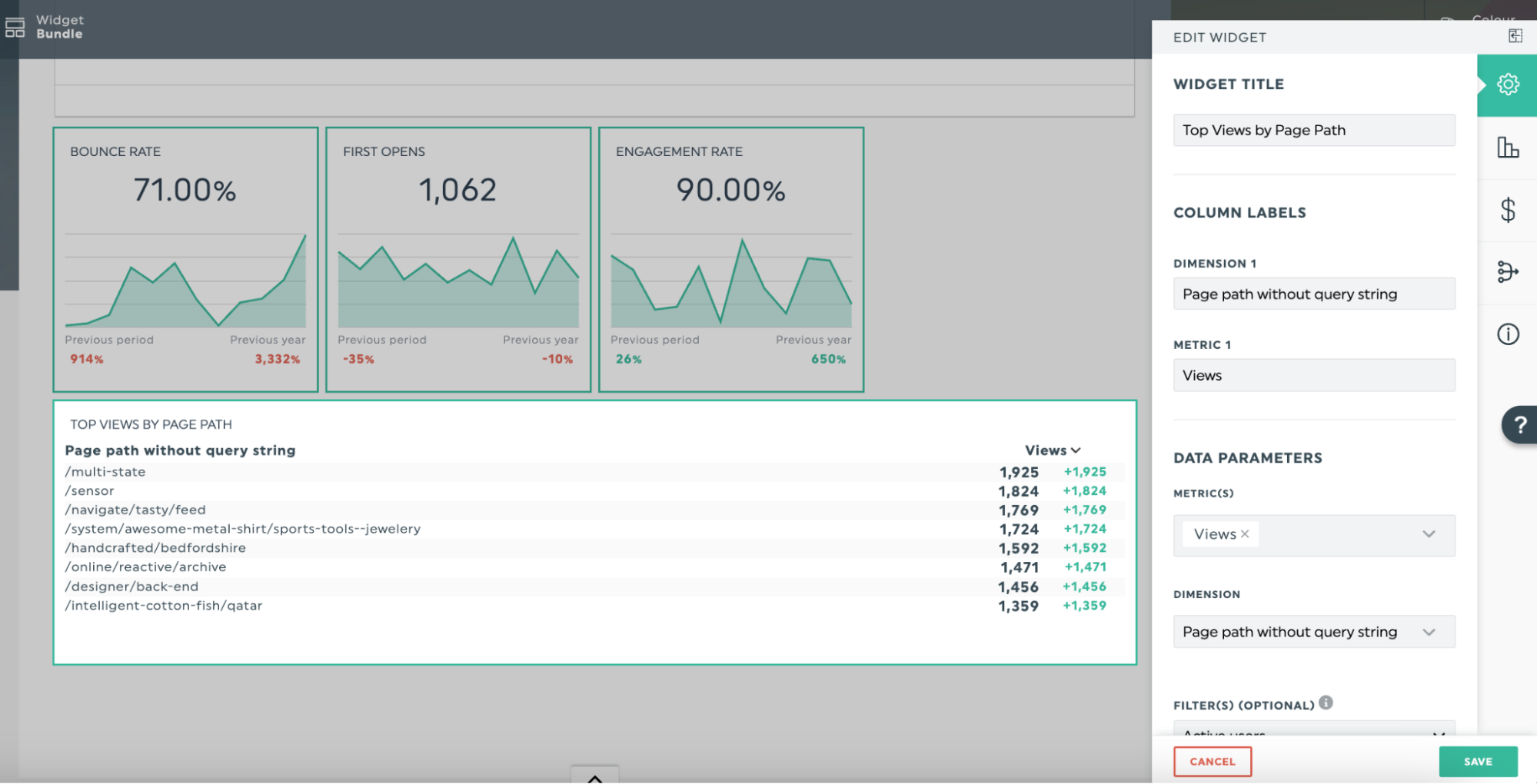
Choose SEO reporting software with clear, customisable dashboards so you can focus on the metrics that matter to your business. A well-organised dashboard makes trends in organic traffic, keyword rankings and conversions easier to understand, while customisation lets you tailor reports for different teams or clients. This helps turn complex data into practical insights and makes it simpler to track progress and decide what to do next.
Check it integrates with Google Analytics and Search Console.
Check that your SEO reporting software integrates with Google Analytics 4 and Google Search Console. These connections bring website traffic, engagement and search performance data together in one place, making it easier to see how people find your site and what they do next. They can also reduce manual reporting, helping you create clearer, more consistent reports and make better-informed SEO decisions.
Look for reliable keyword, ranking and backlink data.
When choosing the best SEO reporting software, look for reliable keyword, ranking and backlink data. Accurate, regularly updated information helps you spot genuine changes in search visibility, understand which keywords are performing and assess the quality of links pointing to your website. As different tools may use different data sources and estimates, compare their figures with trusted sources such as Google Search Console, and focus on consistent trends rather than treating every metric as exact.
Automate scheduled reports to save time.
Automating scheduled reports is a simple way to save time and keep everyone informed. Set your SEO reporting software to send key updates weekly or monthly, so your team or clients can review performance without building each report from scratch. Choose only the metrics that matter, check the data and commentary before sharing, and adjust the schedule to suit your audience.
Compare pricing, user limits and reporting features.
When choosing the best SEO reporting software, compare more than the headline price. Check whether plans include the reporting features you need, such as custom dashboards, scheduled reports, branding and integrations, and look closely at user limits, project allowances and data caps. A low-cost plan may become restrictive as your team or client list grows, so consider the total cost of the features and access you’ll need over time.
Use a free trial to check it suits your workflow.
Use a free trial to check that the software fits your workflow before committing to a subscription. Test the features you’ll use most, such as connecting data sources, creating reports and sharing them with colleagues or clients. This gives you a chance to assess how easy the platform is to use, whether its data meets your needs and how much time it could save your team.